
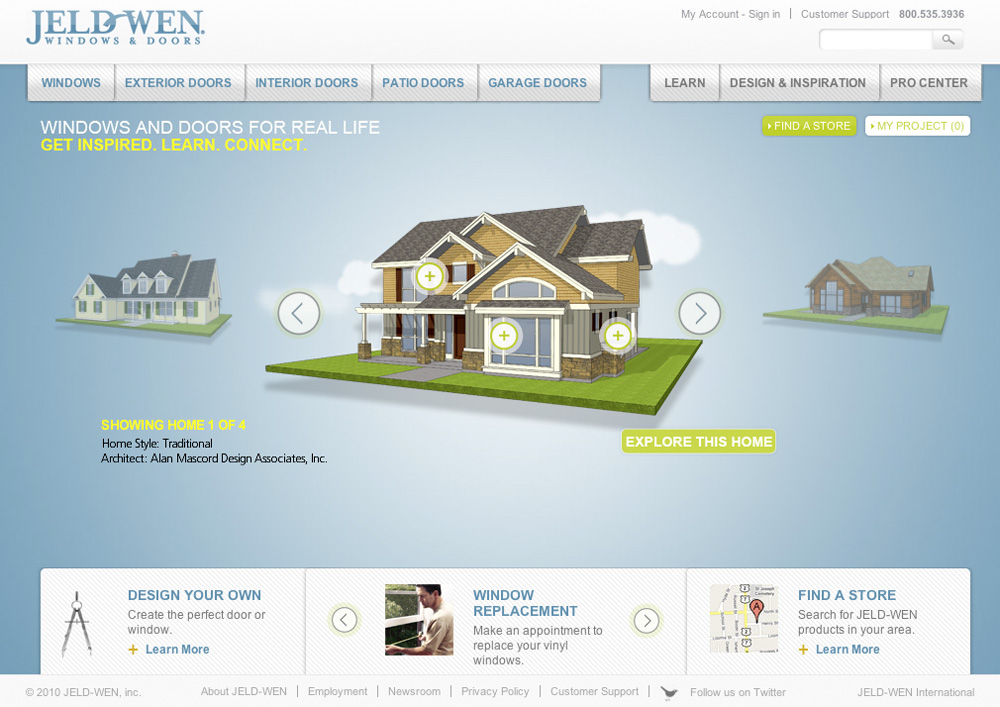
Our friends at Alan Mascord Design Associates have provided four of their home designs - created in SketchUp - to the new website of window and door manufacturer JELD-WEN. The designs, featured on the website’s homepage, serve as the starting point for JELD-WEN customers looking to specify products to match the style of their home.
Alan Mascord Designs and JELD-WEN
Thursday, September 30, 2010 1:45 PM
The HOVER Challenge
Wednesday, September 29, 2010 8:43 PM
It’s a fact that people who use SketchUp also use other tools; we live in a multi-app universe, and I like it that way. Figuring out what program to use for what, and when, and how to move data between them is the tricky part. And that’s why blogs like Ronen Bekerman’s are so useful. It’s chock-full of information about all things related to architectural visualization. V-Ray, Maxwell, 3ds Max, Photoshop, Fryrender, SketchUp – it’s all there.
.jpg)
W Boutique Residential Tower by Ronen Bekerman; SketchUp, 3ds Max, MultiScatter and V-Ray
I just found out about Ronen’s HOVER Challenge. Participants are designing, modeling and rendering structures that appear to float. The format is what interests me most: everyone is posting their progress to a forum where others provide advice and encouragement. Two caveats: You need to be logged in to see images, and only some of the participants are using SketchUp.
The deadline is coming up fast (October 20th) but I think it’s worthwhile to at least peek at what folks are up to. As I’ve said in the past – you should see at least one beautiful, inspiring thing a day.
Responding to your popular SketchUp Ideas
Monday, September 27, 2010 1:26 PM
It’s been three weeks since we began collecting your SketchUp Questions and Ideas and we’re excited about all you have dreamed up! You may have noticed John Bacus, SketchUp’s product manager has been actively responding to the top ideas each day, and directing users to continue the discussion in the SketchUp Help Forum. Definitely take a moment to look at these threads and put in your own two cents; it’s extremely helpful to the SketchUp team if you continue the dialogue! As for now, we’d like to provide you with some more in-depth responses on a few of the most popular ideas.
Ruby and Plugin Management
Many of you have suggested that SketchUp should have better Ruby and Plugin management. We’re really jazzed by the success of our Ruby API and the developer community that has adopted it. So many people have written incredible new tools for SketchUp! However, this has been so successful that it has really outgrown our original management system inside SketchUp. We can see the need for a built-in plugin manager to help users more easily install, uninstall, and identify which plugins they currently have installed. This was a popular suggestion the last time around, and we’re excited it’s risen to the top of the list again. We too acknowledge a need for this feature. Please share more thoughts on this discussion by visiting the thread in the SketchUp Help Forum.
We’ve also seen a related suggestion, which is to have a SketchUp Store for plugins and scripts, etc. We too would love to see a web-based repository for Ruby Plugins, and hope we can find a way to either build one for you, or help the community do it themselves. In fact, the community has already began to take this on. At smustard.com, you can find a substantial repository of SketchUp’s plugins and scripts.
Can SketchUp be made “LargeAddressAware” so we can use up to 4GB RAM under 64bit OS?
This is a peculiarly technical request to have made it to the top of the ranking, but we think folks probably voted for it in the hopes that it would increase the amount of memory available to SketchUp when it exports large raster images. You’ve heard us say before that 64-bit and multicore processing aren’t good fits for improving SketchUp’s performance, but we’re always looking for new things to try. Our compiler guys say it is doubtful that the “LargeAddressAware” linker flag will provide the sort of dramatic improvement you hope for (these things are seldom a panacea), but we’re looking into it.
Dynamically Link Files: “Xref manager”
Another popular idea is to dynamically link files. This feature would be similar to the X-ref manager that many CAD packages offer. After further discussion in the SketchUp Help Forum, it seems like the root of this feature request is the ability to divide a complex model among multiple collaborators so that each collaborator is responsible for a different piece. Ideally, this would also take the load off the master file by distributing the file size onto its cross referenced files.
In response to this idea, we first want to make sure you are aware of the current functionality SketchUp does support for cross referenced files. That is, the ability to create a unique SketchUp file from a component. This file can then be worked on separately and reloaded into the master file. To learn more visit an article in our help center which describes Saving and Reloading Components. However, even with this functionality, we acknowledge there are limitations which can make collaboration challenging in SketchUp. We appreciate your feedback, recognize SketchUp has room to grow here, and we’re eager to look for ways to improve collaboration!
Camera That Sticks to a Drawn Path
Lastly, we were somewhat surprised to see this idea towards the top of the list, but it’s a great suggestion nonetheless! This is the request to "Introduce a camera that sticks to a drawn path (line, arc, circle) for exporting smooth movies.” We agree this would be neat and we’re excited this idea has generated some good discussions in the SketchUp Help Forum. Our team has learned a lot from the expanded discussion, and we hope you’re learning a thing or two from the discussion as well. Specifically, make sure to check out the several workarounds posted by our SketchUp Sage in this thread. These ideas should give you a workable solution to get started with immediately.
Have you read about an idea here that you strongly disagree with? Would you like to see something else rise to the top of the list? It’s not too late, but don’t wait long, SketchUp Questions and Ideas closes October 1st!
Posted by Carolyn Wendell, SketchUp Support Team
Sunil Pant: Visual development artist
Friday, September 24, 2010 11:55 AM
Sunil Pant uses SketchUp (along with lots of other tools) to create some really beautiful concept art for movies and games. We ran into him at SIGGRAPH this year, and thought we’d ask him a few questions. Where did you grow up and where do you live now?
I grew up in Mumbai for the first twenty years of my life where I got my undergraduate degree in Science with a focus on Quantum Physics. I moved to the United States on my twenty-first birthday and have lived in San Francisco for about seven years now. Time really flies!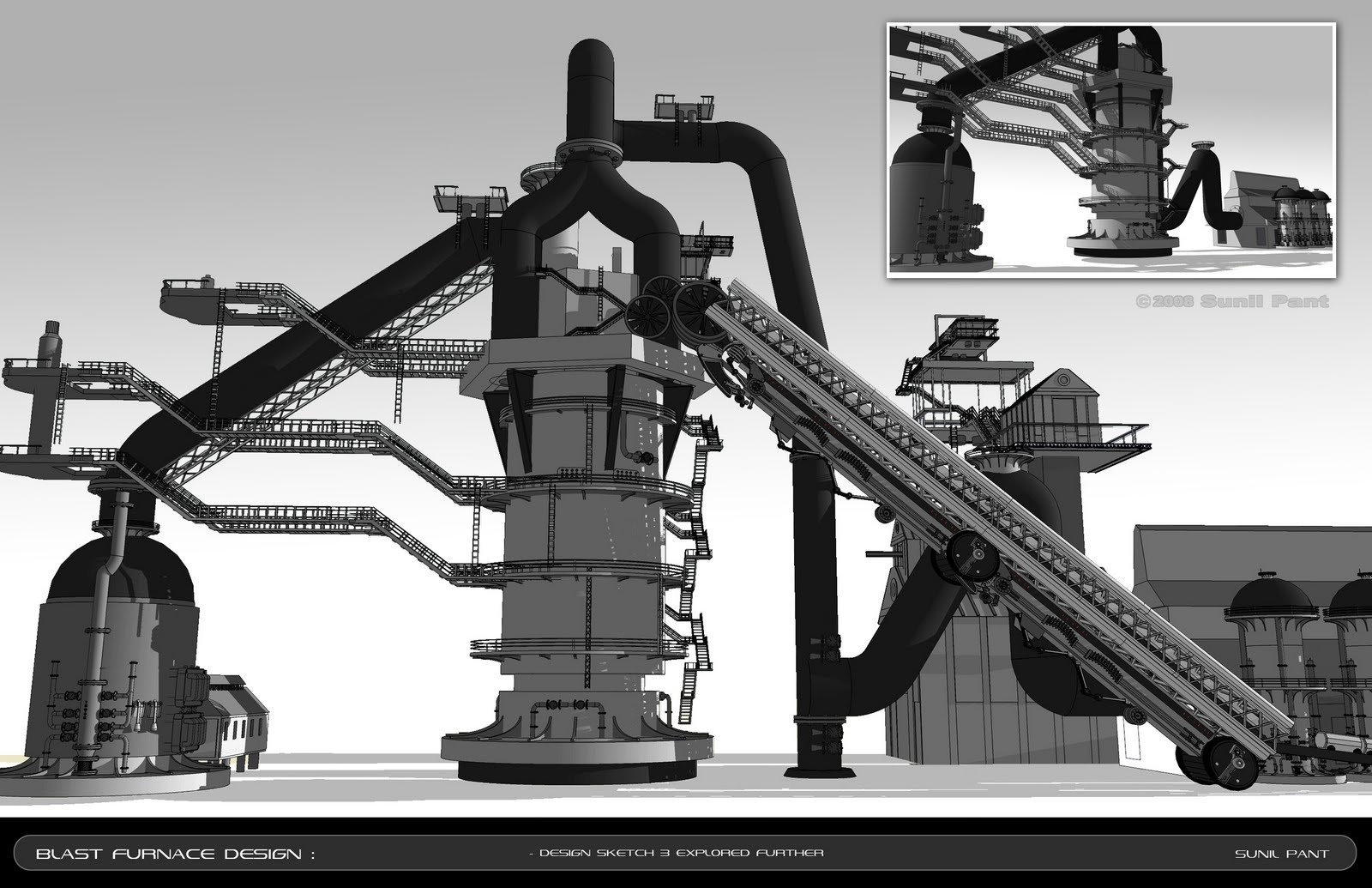
At the moment, I'm working as a freelance artist for George Hull Design (with designer George Hull) working as a 3D Concept Artist for the next Spider-Man flick! I'm also taking a few traditional painting classes as part of a graduate program at the Academy of Art University in San Francisco.
What did you study in school?
I got my second degree (a BFA) at the Academy of Art, where my focus was on 3D modeling and texturing. While in school, I took quite a few classes in traditional painting – oils,acrylic and pastel – as well as illustration.
My thinking was (and still is) that for any artist to be really good at his or her craft, a strong traditional art background is a MUST. I cannot stress that enough – no matter what dicipline of art you choose.
What do you do for a living?
I'm a Visual Development Artist specializing in 2D and 3D environment and prop design. I've worked on movies as well as games and I love both genres. I'm a movie buff, so I must admit that I get a kick out of working on movies (live-action and animation) more than other art forms!
I really like problem-solving after a design's been finalized; I find it presents a whole new challenge and I love that aspect as well.
Have you worked on any projects that folks might have heard about?
Since graduating in 2008, the projects I've worked on include The Simpsons Game (Electronic Arts,) The Club (SEGA,) and Iron Man 2 (Paramount Pictures.) Very recently, I worked on Megamind (DreamWorks Animation Studios) as a 3D Design and Visual Development Artist.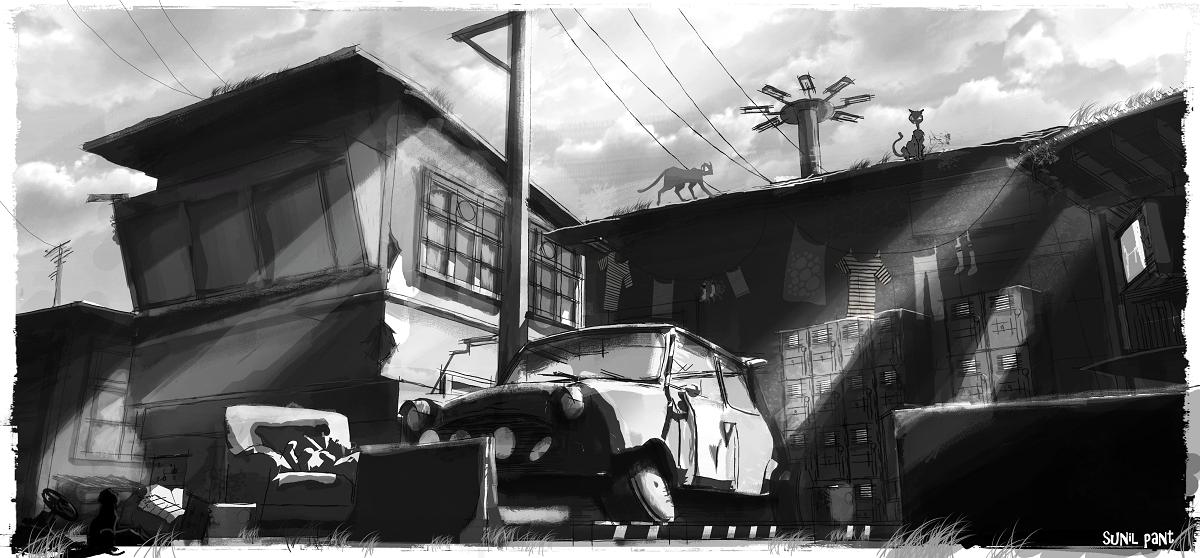
My work on these projects can be found on my website. Glimpses of my designs from Megamind (screenshots from the trailers for now) can be found on my blog.
Which of your projects are you most proud of?
I was on the design team for the movie Megamind which comes out November 6th of this year. I think that's the most fun I've had, not just because the work was fun, but because the team I worked with was just great – everyone from David James (the Production Designer,) to the Art Director, to the artists themselves. We truly had a blast; it really was about just coming in everyday and doing what I loved to do! I can’t wait to see the fruits of my (and everyone else’s) labor on the silver screen next month.
How did you first hear about SketchUp?
I was at a concept design lecture in LA; my mentor George Hull was giving a talk about his artwork to artists from the industry. In one of the presentations, someone metioned this tool called “SketchUp.” They said how user friendly it was, but did not really put it in context for me other than saying, “It’s a free 3D tool available by Google to make buildings and very basic shapes.” I'm talking SketchUp 101!
What was your reaction the first time you used it?
I'm a 3D modeler-turned-designer who’s worked in the gaming industry before seriously pursuing design as my focus. Because of my past experience in 3D, my "learning curve" when I first used SketchUp was no more than a day. I knew what I was looking for, and SketchUp made things like beveling edges and extruding surfaces so easy. Like i said before: SketchUp is a great tool. It’s your understanding of design that really helps you use SketchUp to its full potential.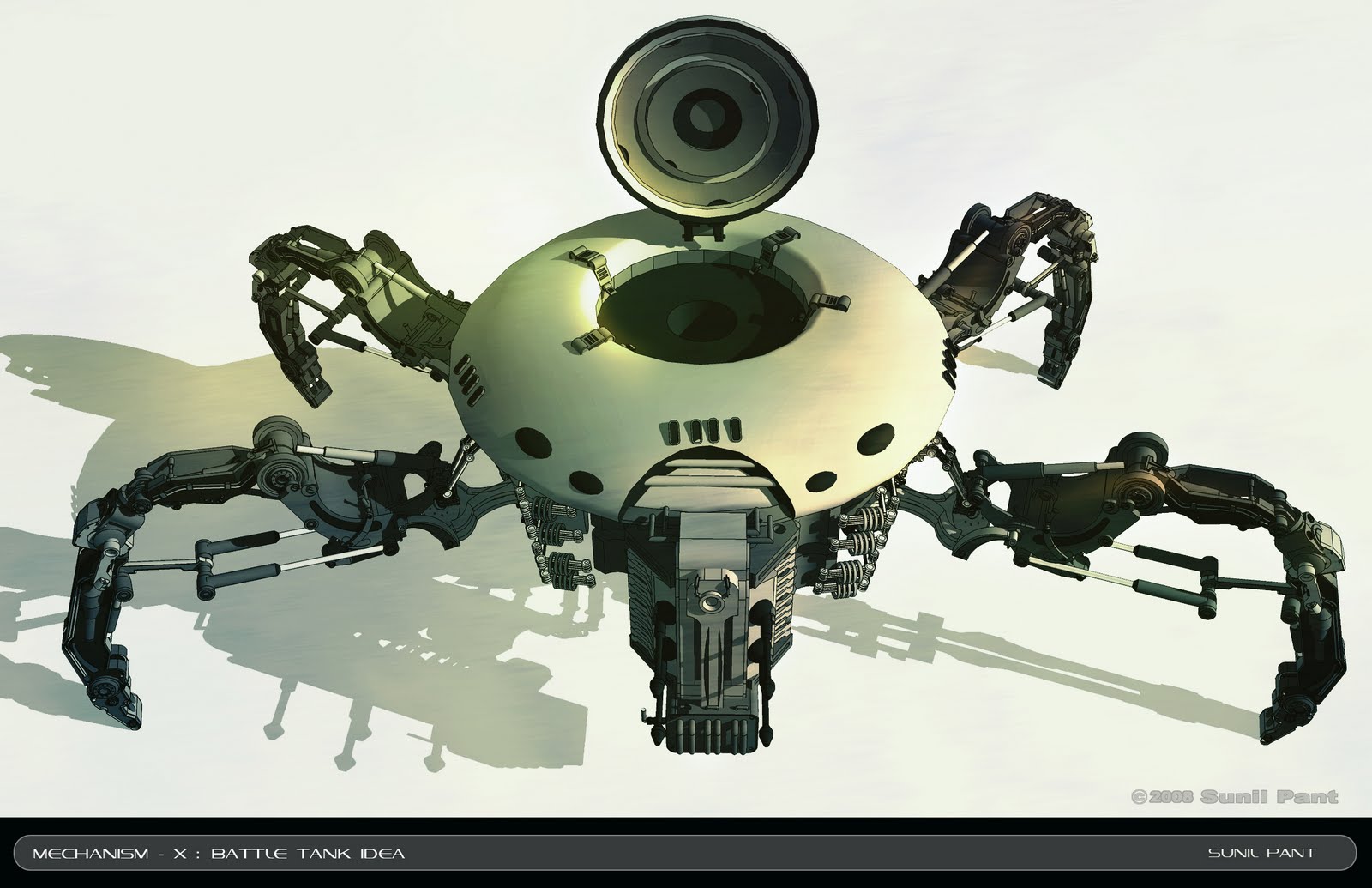
My Mechanical Crab design (visible above) was among the first three things I tried building with SketchUp. Not only did I get what i want, but it was QUICK! I spent at most 12 hours building this – it would have taken me at least a few days with Maya. It was more about the design; I wanted a simple but strong shape as my silhouette and the details were added later.
How does SketchUp relate to what you do?
I think of SketchUp (at least in traditional art terms) as an “underpainting”
for a portrait or a landscape I’m about to do. If I start with a strong underpainting, I know the final piece will be strong as well.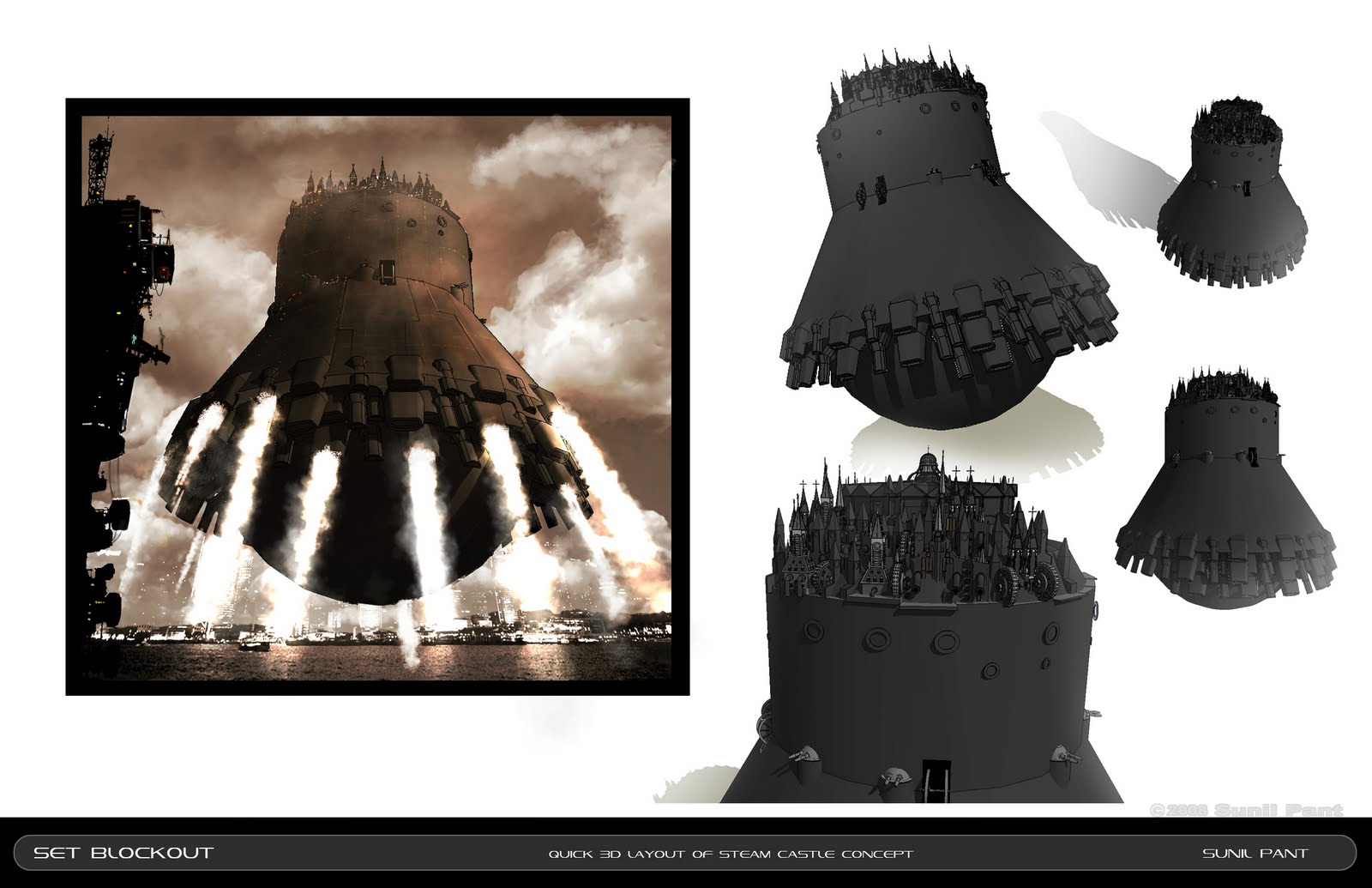
The tools in SketchUp are easy to use and – most of all – intuitive! I think it’s a great tool because it gets out of the designer’s way. Instead of figuring out how to use each feature, SketchUp lets me focus on the design itself.
What other tools do you use in cooperation with SketchUp, if any?
I start with a pencil and paper! They are really only rudimentary idea sketches I keep for myself
to figure out the rough design. Digitally, I use a few other tools: Maya, Photoshop and sometimes Modo. I’ve been using Maya for many years now – whatever helps me get the job done as professionally and quick as i can, without having to compromise on the integrity of the piece I'm working on.
Is there a specific time you can recall when SketchUp was particularly important and/or helpful?
Because SketchUp is quick for me to use, I spend around 30 to 45 minutes blocking out a (really rough) design to show the Production Designer. If it’s a prop design, I have a ready “turntable” that the director can change on the fly. For environment design, I end up with a camera that can be moved to any position in space to establish interesting visuals as far as story telling goes.
When I was working on my personal 3D design portfolio, SketchUp helped me to develop the workflow I use today. I've now integrated my 2D and 3D skills, which helps me to be faster and produce more professional-looking work.
SketchUp-to-Maxwell rendering tutorials
Wednesday, September 22, 2010 9:55 AM
I have a serious love/hate relationship with photo-realistic rendering. I'm completely intrigued by the drop-dead gorgeous images I come across every day, but I'm terrified by the prospect of ever having to produce any myself. Simply put, rendering seems hard – so hard that I don't even know where I'd begin. There are so many options...
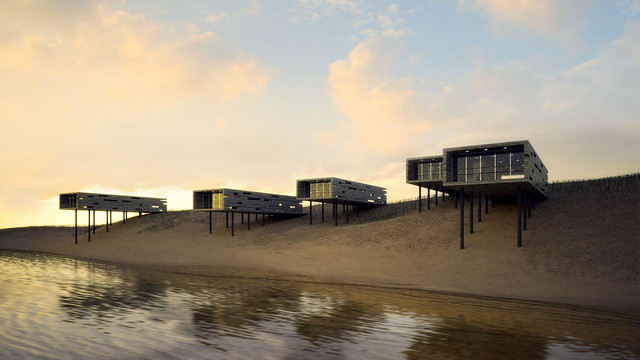 "A mobile beachfront resort concept."
I found this SketchUp/Maxwell rendering on Ronen Bekerman's Flickr photostream.
I've heard lots of good things about Maxwell Render. When they sent me an email about a new series of Getting Started videos for their SketchUp plugin, I clicked on the link; I'm a total sucker for sexy renderings. I spent about 45 minutes watching the first four tutorials, and I have to say, I'm hooked.
If you've ever wondered about Maxwell, here's your chance. Clear an hour from your schedule, pour yourself some coffee, and find a comfy chair. I think it'll be worth your while.
Posted by Aidan Chopra, SketchUp Evangelist
A recap of 3D Basecamp 2010
Tuesday, September 21, 2010 3:58 PM
3D Basecamp 2010, which took place September 1st to the 3rd, was a truly unforgettable event. A total of about 250 of the world’s most skilled and die-hard SketchUp modelers descended on Boulder, Colorado for three days of learning, sharing and fun. Tyson cut together a short video that should give you an idea of what it was like:
Here’s a play-by-play of what happened at Basecamp:
DAY 1
 What's an event with a great, big sign?
Between 10 am and 1, attendees checked in, loitered around and ate a big brunch in the lobby of the Dairy Center (about a block from our office.) The energy was palpable.
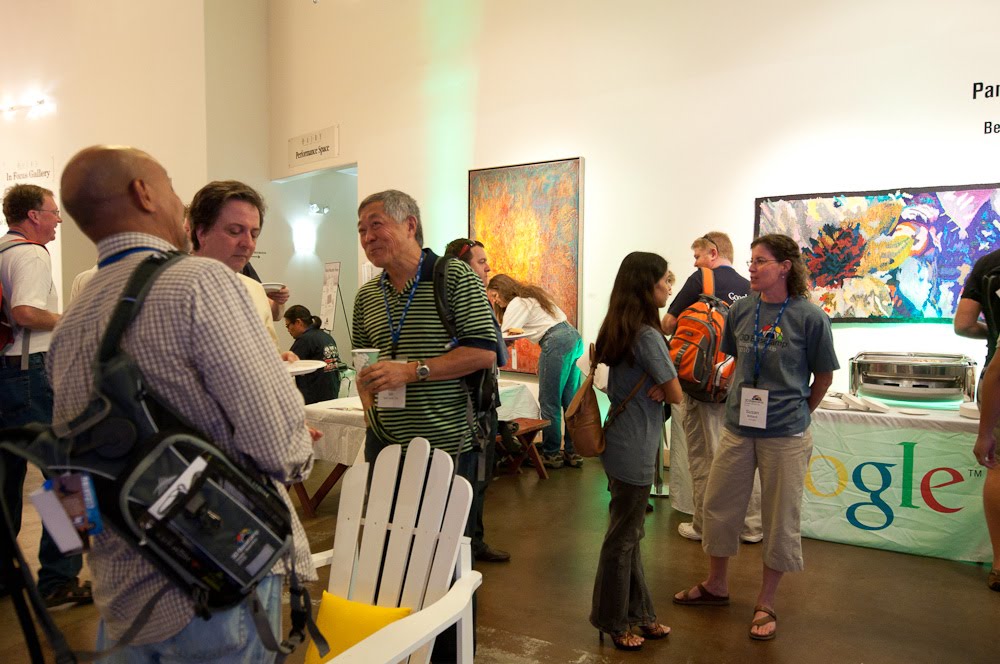 People chatted and ate brunch before things kicked off.
At 1, we herded everyone into the Rocky Mountain Room for the Basecamp kickoff and keynote presentation. After a few announcements about logistics (drink lots of water to stave off altitude sickness, etc) John got up and welcomed everyone to Boulder.
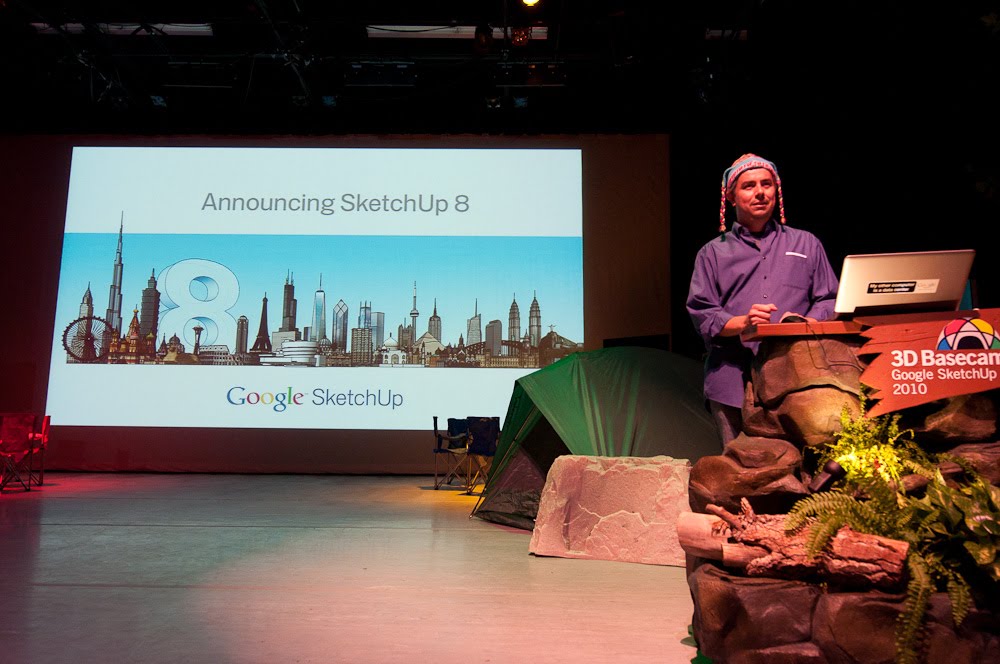 John (our Product Manager) announces the release of SketchUp 8.
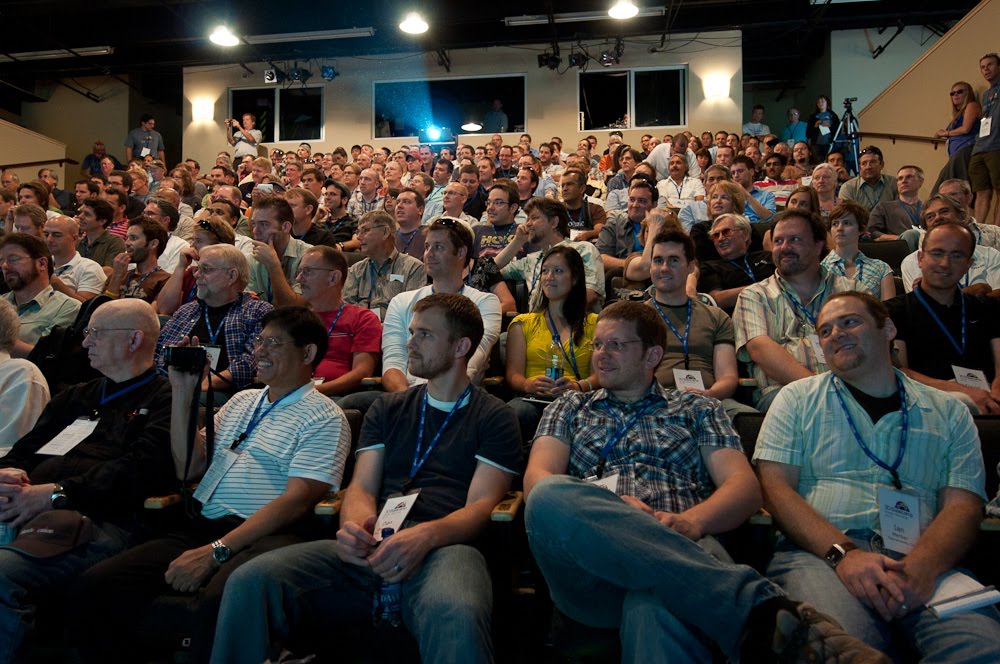 The house was packed.
Launching in the keynote, John talked a little bit about SketchUp’s history and where we are now: Over one million unique people use every week. He announced SketchUp 8, running through some slides to go over what’s in the new release.
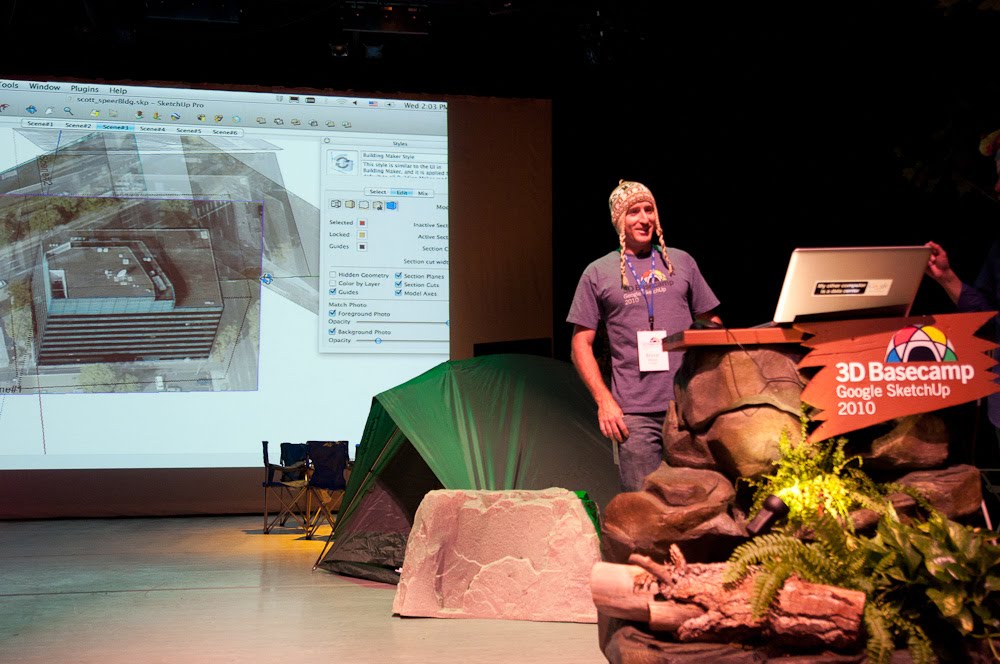 Bryce gets ready to talk about the Solid Tools. Scott just finished showing Image Igloo. Google staff wore wool caps so attendees would recognize us.
After John’s news, Scott, Bryce and I took turns presenting some of the new features in 8: Modeling in Context, Solid Tools and Updates to LayOut. Tyson recorded the whole shebang; you can watch it if you like:
Afterwards, we retired to the lobby for champagne and birthday cake – SketchUp is 10 year old, after all. Basecampers were on their own for dinner, but “birds-of-a-feather” groups of like-minded attendees hit the town together. Much beer was drunk.
 At the end of Day 1, we celebrated SketchUp's 10th birthday with cake and champagne.
DAY 2
Thursday morning, everyone gathered again in the Rocky Mountain Room for the beginning of the Unconference. I explained how unconferences work (participants set the agenda) and folks started pitching their ideas: One by one, attendees took the mic and told everyone what they’d like to present, learn about or just discuss. After speaking, they handed a sticky note with the idea to one of us, and we put it on the Big Board.
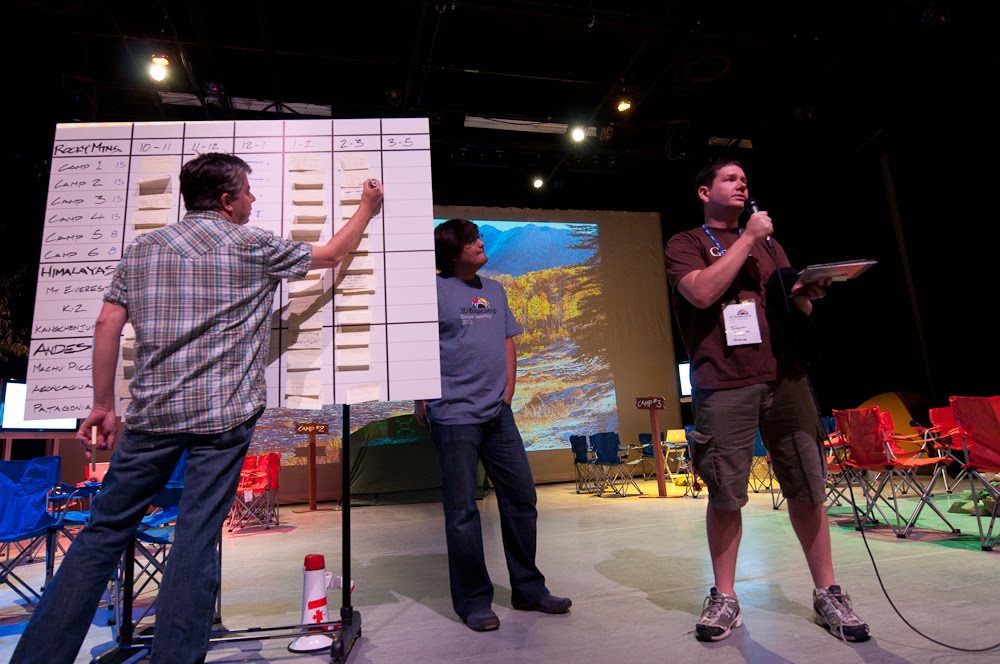 As people proposed sessions, we put them up on the Big Board.
After some frenzied shuffling and re-arranging, everyone headed off to 12 different spaces for the first session. Unconferences are always a little nuts at the beginning; this one was no exception. The rest of the day was spent in three more sessions. You can see the list of all 41 sessions (and read notes taken in all of them) by visiting the 3D Basecamp website.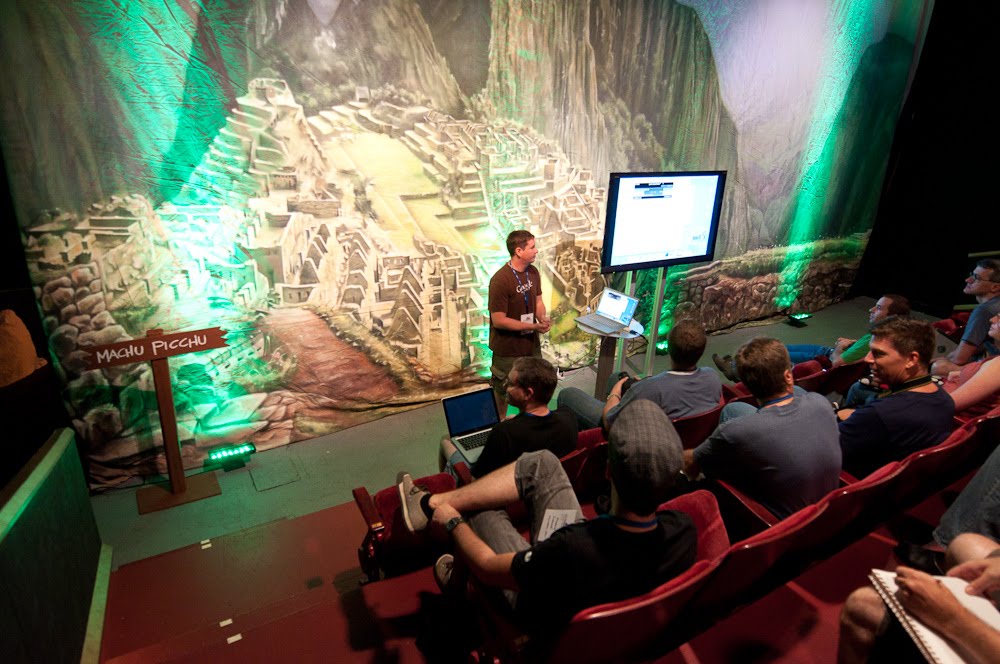

 Unconference sessions took place all over the Dairy Center.
Thursday evening, all of us trooped over to the Google Boulder office for a party on the deck. We ate, we drank, we listened to music, we talked about highly esoteric (some might say geeky) aspects of SketchUp’s development. About five hours after it started, we escorted the last revelers out of the building and locked up for the night.

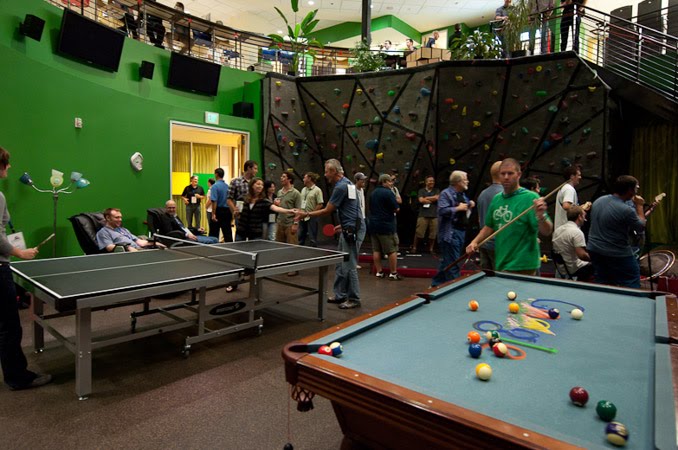 Attendees gathered on the deck Thursday evening. The weather was perfect. Some folks hung out in the rotunda.
DAY 3
Bright and early Friday, we regrouped at the Dairy Center for the start of Day 3. Developers of plugins and other tools – our Friends of SketchUp – presented their amazing wares all morning. Around noon, everyone dispersed to take naps and make their way home. Check out the complete 3D Basecamp 2010 photo album and download anything you like.
Thank you to everyone who helped us make this this best 3D Basecamp yet. We can’t wait to see you all again soon.
Posted by Aidan Chopra, SketchUp Evangelist
Your Product Ideas in SketchUp 8
Monday, September 20, 2010 10:06 AM
In October of last year, we opened a month-long series called “Product Ideas for Google SketchUp” in which we invited folks like you to post and vote for important features that you wanted us to tackle in the next version of SketchUp. In that series, 838 people cast 12,249 votes on 507 new ideas. I thought it might be worth looking back at the top vote-getters from that series to see how many we were able to build into SketchUp 8. By my count, we implemented about half of your top ten ideas:
- Make SketchUp perform faster using _______ (some technology): This is something we’re always working on, and we’re committed to making improvements with every single release!
- Improve Toolbars: We added a way to save and restore toolbar locations on Windows.
- Angular Dimensions: We added Angular Dimensions to LayOut in SketchUp Pro.
- Color Snapshot from Google Earth: Not only did we add a way to capture color aerial photos, but we also dramatically upgraded the terrain models you can capture.
- Boolean Modeling Operations: We added a new “Solid” status for groups and components, as well as a full set of traditional boolean tools for SketchUp Pro users (Union, Intersect, Subtract, Trim, Split) that we call the “Solid Tools.”
We’re never able to build everything that you think we should build for SketchUp, but we do try to get a few popular ideas from the user community in every new release. All things considered, I think we did pretty well by your list from last year... and we’re going to try to do it again.
We’re nearing the end of this year’s Google SketchUp Questions and Idea” series, and I wanted to remind you all to head on over there to post and vote on your favorite ideas before it's over for the year. We’re closing the series on 10/01/10, so don’t procrastinate... Make your voice heard!
Posted by John Bacus, SketchUp Product Manager
SketchUp + Piranesi = delicious renderings
Wednesday, September 15, 2010 4:26 PM
Some of you might recall the SketchUp-to-Piranesi Rendering Competition hosted by our friends over at SketchUcation a few months ago. The results are in, and they’re beautiful:
 Winner, Exterior Category
Geshu Liu
 Runner-Up, Exterior Category
Артём
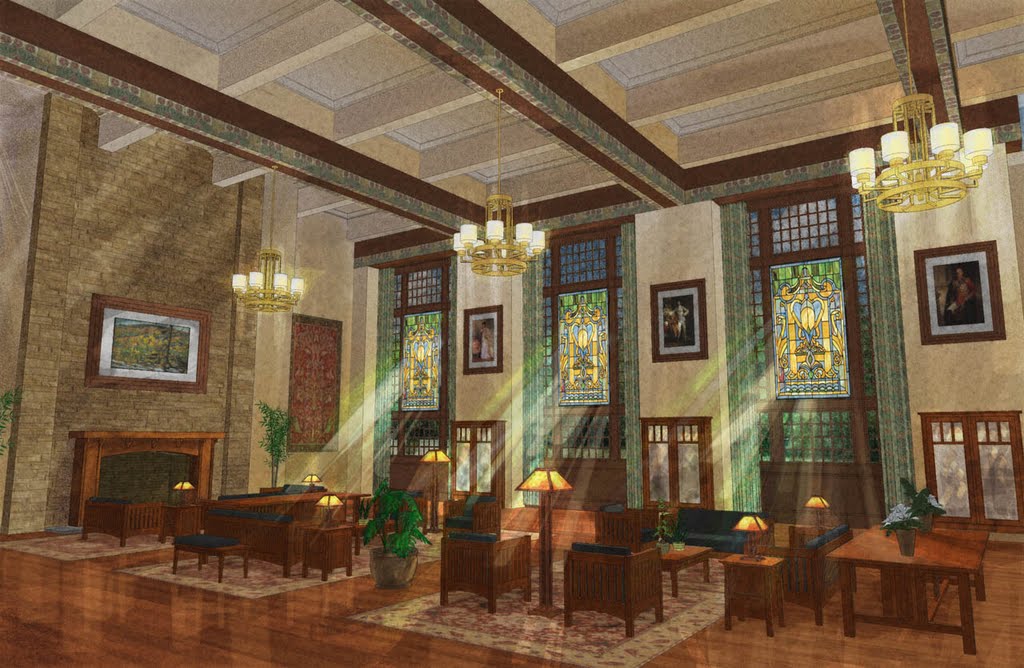 Winner, Interior Category
Roly Wood
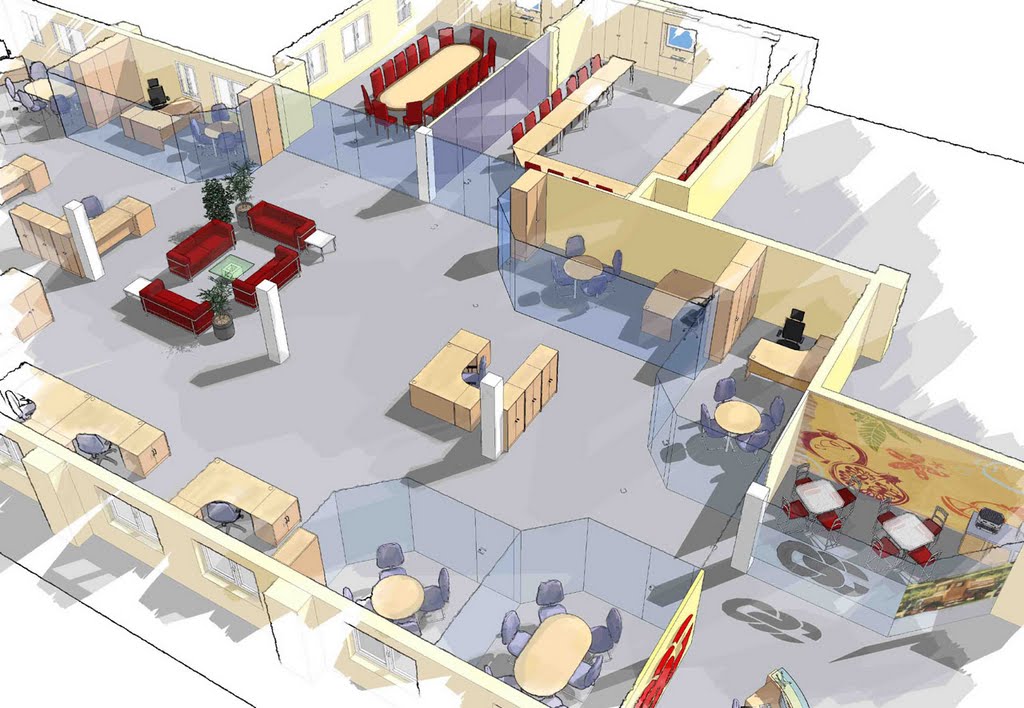 Runner-up # 1, Interior Category
Julie Couch
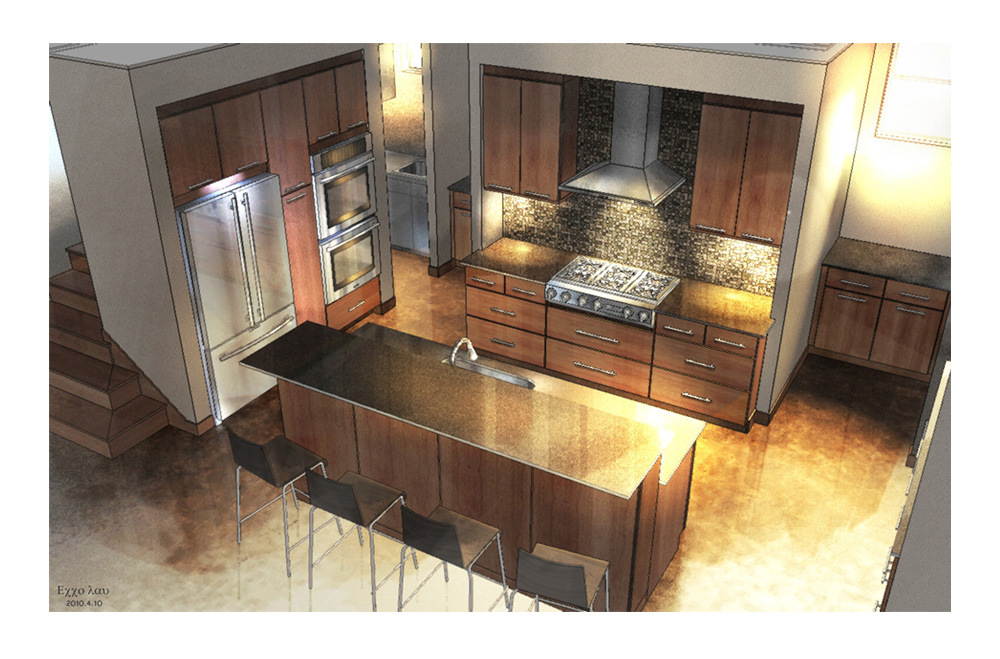 Runner-up # 2, Interior Category
Geshu Liu
Take a look at this web album to see all of the entries. Congrats to everyone who entered!
Posted by Aidan Chopra, SketchUp Evangelist
Case Study: Popular Woodworking Magazine
Tuesday, September 14, 2010 6:27 PM
Take your time reading this piece from Robert W. Lang. He's not only the executive editor at Popular Woodworking Magazine – he's also an accomplished SketchUp modeler who's just released an e-book on DVD. His Woodworker's Guide to Google SketchUp includes no fewer than 49 videos in-line with the text; that's hands-down the best way to learn, in my opinion.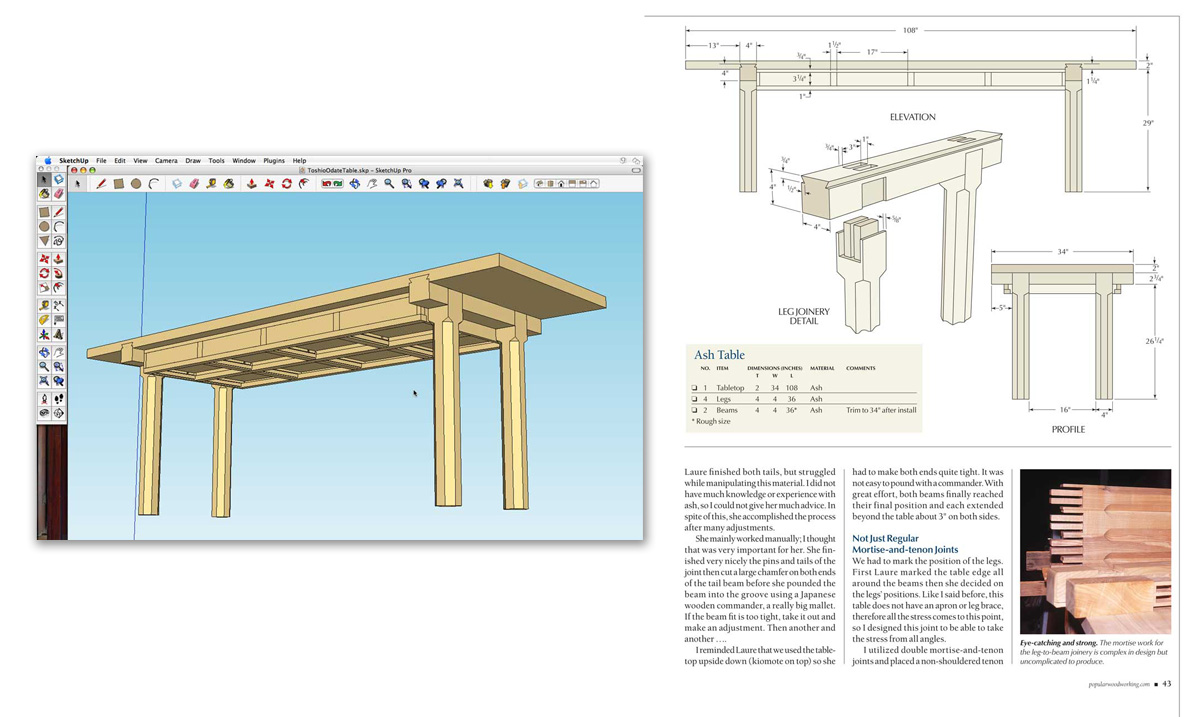
Popular Woodworking Magazine was previously featured in this blog for our 3D Warehouse collection of woodworking models. The collection is closing in on 200 models of projects that were featured in articles in the magazine. This has been a great way for us to connect and share with our readers, but the story of how this collection came to be, and how we use SketchUp is also noteworthy. We started using SketchUp as a tool for planning before we realized its potential as an illustration tool.
High-quality technical illustrations are an important part of our publication. Our readers are mostly hobbyist woodworkers and we need to communicate to them detailed information so they can build the projects that appear in articles in Popular Woodworking Magazine. Each project article includes detailed construction drawings that begin as SketchUp models. We work with a limited amount of space and on tight deadlines so we face some challenges to produce usable, accurate drawings in a short period of time.
Before we switched to SketchUp, this segment was a major headache for our editorial staff. We used the services of an outside illustrator, and needed to provide detailed information to him well in advance of our deadlines. If the illustrator didn’t understand the construction details, if changes were made during building a project, or if errors were found at the last minute we became bogged down in communicating and correcting these issues. The simplest change could involve several phone calls or e-mails and take a lot of time in the face of a rigid deadline. Then we discovered SketchUp.
We began using SketchUp to plan our work. It was faster, more accurate and more flexible than the CAD systems some of us had been using. The editors on our staff who were not experienced in CAD quickly caught on and were soon producing accurate models instead of sketches on paper. The ability to “build” a piece of furniture on the computer before heading to the shop made our limited shop time more productive and greatly reduced planning errors. We had a common well of information to use as a basis for our technical illustrations.
We also used Scenes in SketchUp to visualize how the finished illustrations should best appear in print. The right point of view can make or break an illustration, and this was one of the hardest things to communicate to our outside illustrator. With SketchUp we could show the angle we wanted and make our own exploded views. Our art director began using the SketchUp model to plan photo shoots for projects that hadn’t been constructed. It’s a lot easier to move around a model than it is to move actual furniture and lights in the studio.
It became clear that we were on the right track, and that we were close to being able to do our illustrations ourselves. I began to experiment with exporting .dwg files from SketchUp Pro, then adjusting things like line weights, fills and text in Adobe Illustrator. In a brief period of time, I developed a system to make this a simple process. We have since developed standards and templates to use in Adobe Illustrator, and all of our staff is now either doing, or learning how to do their own finished illustrations for publication.
We are a small staff, and our editors wear many hats. We design and build our own projects, do our own photography, and edit and produce drawings for projects from outside authors. SketchUp has enabled us to reduce the amount of time we spend planning projects and producing illustrations, while improving the quality of our illustrations. In addition to the time saved initially, changes can be made and problems can be solved in minutes instead of days. Thanks to SketchUp, we have more time to build and write, and far less stress in our production process. With the addition of solid modeling tools in SketchUp Pro 8, things will only get better.
Posted by Aidan Chopra, SketchUp Evangelist
Enter the 3D Printed Lamp Design Challenge
Monday, September 13, 2010 3:05 PM
A couple of us were chatting with our new Belgian friend Martijn Joris a couple of months ago; we were exploring ideas for a follow-up to the World of Houses Design Challenge from earlier this year. What kinds of things might get SketchUp modelers jazzed about the enormous potential of 3D printing? How about, rather than making a scale model of something, producing the thing itself? Architects rarely get to do that, but it’s something we all dream about. At least I know I do.
In that vein, the folks at Materialise (where Martijn works) have just announced the first-ever 3D Printed Lamp Design Challenge for SketchUp. Design a lamp and submit the model; three winners will get their lamp, complete with a base and everything else that makes it work. The grand prize winner also gets a SketchUp Pro 8 license from us. Some images for inspiration:
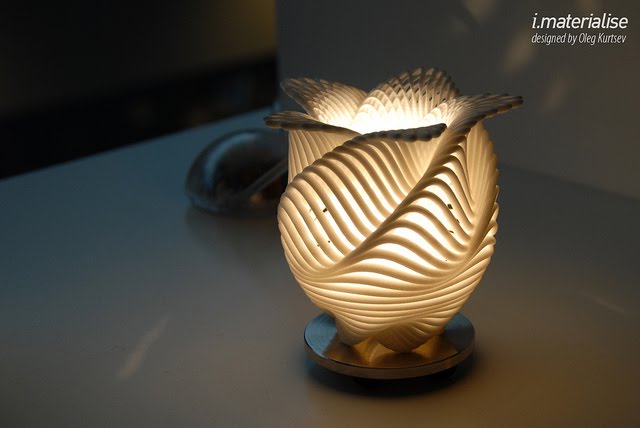
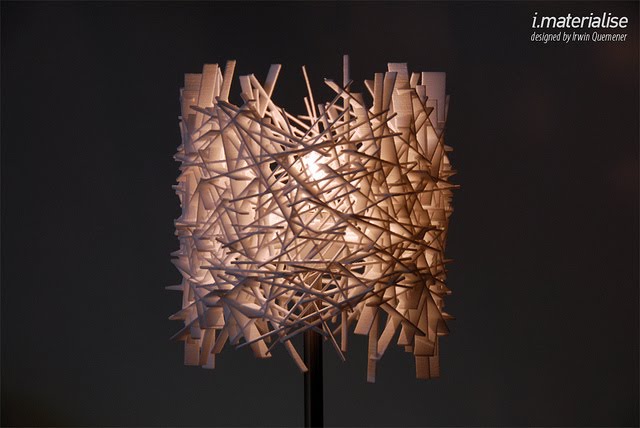


The competition runs until October 25th of this year. Honestly, I think this is one of the coolest SketchUp challenges to come along in quite a while. As 3D modelers, how often do we get to physically hold the thing we’ve designed? I’m thinking about taking the rest of the month off to work on my entry.
Posted by Aidan Chopra, SketchUp Evangelist


